Blog

  • What’s Your OpenClaw Strategy? Moving from Random AI Tools to Real Business Automation

    What’s Your OpenClaw Strategy? Moving from Random AI Tools to Real Business Automation

    You’re using AI. Your team is using AI. Everyone’s using AI.

    But here’s the uncomfortable question: Do you have an AI strategy?

    If you’re like most businesses right now, the honest answer is no. You’ve got ChatGPT subscriptions scattered across departments. A few Zapier workflows cobbled together by that tech-savvy marketing manager. Maybe your CRM added an AI feature you’re sort of using. Perhaps someone in operations discovered Claude and swears by it for writing reports.

    This is what Thryv and the U.S. Chamber of Commerce are calling “Shadow AI” or “AI Sprawl” in their recent surveys. It’s the business equivalent of having a dozen disconnected apps all trying to solve the same problem in different ways. And while it feels like progress, it’s actually creating a dangerous illusion of improvement.

    The truth is, there’s a massive difference between using AI tools and having an AI strategy. One is reactive, fragmented, and expensive. The other is systematic, integrated, and genuinely competitive.

    The question isn’t whether you should adopt AI. You’re already doing that. The real question is: when will you stop accumulating tools and start building infrastructure?

    The hidden cost of “winging it”

    Recent surveys from Thryv and the U.S. Chamber of Commerce reveal that 55-68% of small and mid-sized businesses are now using AI in some capacity. That’s remarkable growth in just two years. But dig deeper into those numbers, and you’ll find something troubling: most of these businesses are just experimenting, not executing.

    They’re paying for multiple subscriptions. ChatGPT Plus, Jasper, Copy.ai, Zapier, maybe a few API credits here and there. Each tool promises to save time. Each integration claims to boost productivity. Yet somehow, teams feel busier than ever, drowning in a sea of disconnected platforms that don’t talk to each other.

    Here’s what that “winging it” approach actually creates:

    Data silos everywhere. Your marketing AI doesn’t know what your sales CRM knows. Your customer support tool can’t access your product database. Every system operates in isolation, forcing humans to be the connective tissue, copying, pasting, translating, and manually syncing information between platforms.

    Security blind spots. When employees adopt tools independently, IT has no visibility into what data is flowing where. Sensitive customer information gets pasted into third-party platforms with unknown data policies. Compliance becomes a nightmare. You can’t protect what you can’t see.

    Subscription bloat. Five team members each paying for their own ChatGPT Plus account. Three different automation platforms because different departments started with different tools. Duplicate functionality across systems because nobody realized another team already solved that problem.

    Cognitive overhead. Your team spends mental energy not just on their actual work, but on remembering which tool to use for what, how to format data for each platform, and which workarounds make incompatible systems cooperate.

    This isn’t progress. It’s chaos with a modern interface.

    The problem isn’t the individual tools (many are excellent at what they do). The problem is treating AI adoption as a procurement decision rather than an architectural one. You wouldn’t build a house by buying random building materials and hoping they fit together. Why would you build your business’s AI infrastructure that way?

    Tactical vs. strategic: a real-world comparison

    Let’s make this concrete. Consider two approaches to the same business problem: handling customer email inquiries.

    The tactical approach:
    Your customer service rep gets an email. They copy the message into ChatGPT and ask it to draft a professional response. They review the output, make some edits, then paste it into their email client and send it. Maybe they log the interaction in a spreadsheet. If they’re sophisticated, they’ve got a Zapier workflow that moves certain emails to a specific folder.

    This saves a few minutes per email. It feels productive. It is, marginally, better than nothing.

    The strategic approach:
    An OpenClaw agent monitors the inbox continuously. When an email arrives, it automatically categorizes the intent (support request, sales inquiry, partnership proposal). It pulls relevant context from your CRM: previous interactions, account status, outstanding issues. It cross-references your knowledge base for product-specific details. It drafts a contextually appropriate response that maintains your brand voice and includes accurate information. For routine inquiries, it sends the response autonomously. For complex situations, it flags the message for human review with a summary of the situation and a recommended approach.

    No copying. No pasting. No context switching. No manual logging. The entire workflow is invisible until human judgment is actually needed.

    See the difference? One is a productivity hack. The other is infrastructure.

    The tactical approach makes individual tasks slightly easier. The strategic approach eliminates entire categories of work while simultaneously improving quality, consistency, and response time.

    This distinction (tactical versus strategic) is the divide in AI adoption right now. Most businesses are stuck in the tactical mindset, asking “What can AI do for me?” when they should be asking “How should AI reshape how we work?”

    What OpenClaw actually is (and isn’t)

    Let’s clear up a common misconception: OpenClaw isn’t another chatbot. It’s not a tool you open when you need to write something or analyze data. It’s not competing with ChatGPT or Claude or Gemini.

    OpenClaw is an orchestration layer. A central nervous system for business automation that connects and coordinates everything else.

    Think of it this way: Individual AI tools are like having talented specialists who work in separate offices and never communicate. OpenClaw is the organizational structure that lets those specialists collaborate, share context, and work toward common goals.

    At its core, OpenClaw provides three critical capabilities that scattered tools simply cannot:

    Workflow automation that actually works. True automation means eliminating human intervention from routine processes, not just making those processes slightly faster. OpenClaw can monitor triggers across multiple systems, make contextual decisions about what to do next, execute complex multi-step workflows, and handle exceptions intelligently, all without someone clicking “Run” each time.

    Data integration across your entire business. OpenClaw breaks down the silos. It connects your CRM with your email with your calendar with your project management system with your analytics platform. When an AI agent needs information, it has access to your complete organizational context, not just whatever data lives in one isolated tool. This isn’t just convenient. It’s the difference between AI that can actually make informed decisions versus AI that generates plausible-sounding nonsense.

    Custom agents working together. This is where it gets interesting. Rather than having one general-purpose AI trying to do everything adequately, OpenClaw lets you deploy specialized sub-agents, each with specific expertise, access rights, and responsibilities. A content creation agent that understands your brand voice. A code review agent that knows your tech stack. A customer support agent with full access to your support history and product documentation.

    These agents don’t just exist in parallel. They coordinate. The support agent can hand off to the sales agent when it detects an upsell opportunity. The content agent can collaborate with the research agent to produce articles grounded in your actual data. The workflow is orchestrated, not improvised.

    This is what infrastructure looks like. Not a collection of point solutions, but an integrated system designed to evolve with your business.

    What a real OpenClaw strategy includes

    Building an actual AI strategy (not just accumulating tools) requires thinking through several layers that most businesses haven’t considered.

    Process auditing before implementation. You can’t automate chaos. Before deploying OpenClaw, you need a clear picture of your actual workflows, not how you think they work or how they’re documented, but how work actually flows through your organization. Where are the handoffs? Where does information get stuck? Which repetitive tasks consume disproportionate time? What decisions require human judgment versus rules-based processing?

    This isn’t a technology question. It’s a business architecture question. The most successful OpenClaw deployments start with brutal honesty about which processes deserve automation and which need redesign first.

    Integration architecture. Once you understand your workflows, you need to map the integration needs. What systems need to talk to each other? What data needs to flow where? What access permissions and security boundaries matter? How do you handle exceptions and edge cases?

    This is where many DIY automation projects fail. They solve the happy path but fall apart when reality introduces complexity. A proper OpenClaw strategy includes solid error handling, graceful degradation, and human escalation paths for situations that genuinely require judgment.

    Custom agent development. Generic AI is useful for generic tasks. But your business isn’t generic. Your competitive advantage comes from doing specific things in specific ways that reflect your unique expertise and relationships.

    Custom OpenClaw agents embody that uniqueness. They’re trained on your data, configured to your processes, and designed to amplify your specific capabilities. A content agent for a law firm operates very differently than one for a marketing agency, not because the underlying AI is different, but because the strategy and context are different.

    Ongoing optimization and governance. Here’s what nobody tells you about AI systems: they’re not set-it-and-forget-it. As your business evolves, your automation needs to evolve too. New products launch. Processes change. Regulations update. Customer expectations shift.

    A real OpenClaw strategy includes governance: who can deploy new agents, what data they can access, how performance is measured, when human oversight is required. It includes monitoring, not just “is it running,” but “is it producing the outcomes we actually care about?” And it includes iteration, continuously refining and expanding capabilities based on what you learn.

    Why this requires a partner (not just software)

    If OpenClaw is so powerful, why can’t you just download it and start automating?

    Technically, you could. OpenClaw is open-source. But here’s the reality: implementing strategic automation is different from installing software.

    The technology is the easy part. The hard part is the translation layer between what OpenClaw can do and what your business needs it to do. That’s not a technical problem. It’s a strategy problem.

    Think about what’s actually required:

    – Understanding your business deeply enough to identify automation opportunities you might not see yourself
    – Auditing existing workflows to find inefficiencies, redundancies, and bottlenecks
    – Designing an integration architecture that balances power with security and maintainability
    – Building and configuring custom agents that genuinely understand your specific context
    – Training your team not just to use the system, but to think differently about how work gets done
    – Providing ongoing support as your needs evolve and edge cases emerge

    This is where Eclipse Digital operates. We’re not selling software (OpenClaw is free). We’re selling the strategic thinking and technical implementation that turns powerful technology into actual business outcomes.

    We’ve done this before. We understand the patterns. We know which approaches work and which sound good in theory but fail in practice. We can help you avoid the expensive mistakes that come from treating automation as a technology project rather than a business change.

    More importantly, we become the ongoing partner who helps you evolve your OpenClaw strategy as your business grows. We don’t install a system and disappear. We build capabilities, transfer knowledge, and position you to continuously expand your automation maturity.

    The ROI of this approach is dramatic. Businesses that move from fragmented AI adoption to unified OpenClaw orchestration consistently report:

    – Time savings measured in hours per employee per week, not minutes
    – Error reduction in data-heavy processes, often 90%+ fewer mistakes
    – Subscription consolidation, replacing 5-10 separate tools with integrated capabilities
    – Competitive advantage from being able to operate at speed and scale that manual processes can’t match

    But perhaps most valuable is the strategic clarity that comes from actually knowing how your AI systems work, what they’re doing, and how they contribute to business goals. No more shadow IT. No more wondering which subscriptions are actually being used. No more data scattered across incompatible platforms.

    Just infrastructure that works.

    The question you need to answer

    Here’s where we are: AI adoption is accelerating whether you’re ready or not. Your competitors are experimenting. Your employees are finding tools. Your customers are experiencing AI-powered service from other companies and developing new expectations.

    The window for deliberate strategy is closing. The longer you operate with fragmented tools and shadow AI, the more technical debt you accumulate. The harder it becomes to untangle the mess and build something coherent.

    So the question isn’t whether you should have an AI strategy. It’s whether you’ll develop one intentionally, with proper architecture, integration, and governance, or whether you’ll let it emerge accidentally from the chaos of everyone doing their own thing.

    One path leads to competitive advantage. The other leads to expensive complexity that makes you less agile, not more.

    You don’t need more AI tools. You probably have enough already. What you need is a strategy that turns those tools (and the new capabilities OpenClaw provides) into genuine business infrastructure.

    You need to move from tactical hacks to strategic architecture.

    You need to move from Shadow AI to deliberate orchestration.

    You need to stop buying tools and start building systems.

    Ready to build your OpenClaw strategy?

    Eclipse Digital specializes in helping businesses make exactly this transition, from AI tool chaos to strategic automation infrastructure.

    We start with an OpenClaw strategy session: a deep-dive audit of your current state, your business priorities, and your automation opportunities. We help you see the patterns you’re too close to notice and design an implementation roadmap that delivers value quickly while building toward long-term change.

    This isn’t about technology for technology’s sake. It’s about giving you the infrastructure to compete, scale, and win in an AI-native business environment.

    Stop accumulating tools. Start building strategy.

    Contact Eclipse Digital to schedule your OpenClaw strategy session and discover what coordinated automation can do for your business.

    —

    The future belongs to businesses that treat AI as infrastructure, not as a collection of apps. Which side of that divide will you be on?


  • 5 Website Red Flags That Make You Look Like a Spam Site

    5 Website Red Flags That Make You Look Like a Spam Site

    5 website red flags that make you look like a spam site

    You’ve invested in marketing. You’re driving traffic to your website. But here’s the problem: visitors arrive, glance at your homepage for three seconds, and vanish. Your bounce rate is through the roof.

    Here’s the uncomfortable truth: your website might be accidentally triggering the same alarm bells in people’s brains that scam sites do on purpose.

    Users make snap judgments about website credibility in about 50 milliseconds (faster than you can blink). After years of dodging phishing attempts, malware pop-ups, and too-good-to-be-true offers, people have developed a sixth sense for spotting sketchy websites. If your legitimate business accidentally uses the same tactics that spammers rely on, you’ll lose potential customers before they even read your first headline.

    The good news? Most of these red flags are fixable. Let’s walk through the five most common mistakes that make visitors think “scam” and show you exactly how to fix them.

    Red flag #1: The dreaded “not secure” warning

    When someone visits your website and sees “Not Secure” displayed right next to your URL in their browser, it’s game over before you’ve even started.

    Modern browsers (especially Google Chrome) actively flag HTTP sites as unsafe. That little warning isn’t subtle. It’s right there in the address bar, screaming “DANGER” to anyone who clicks on your link.

    Why it screams “spam”: That warning tells users their data isn’t encrypted. Phishing sites, scam operations, and malware distributors rarely bother with SSL certificates because they’re disposable operations. If you don’t have HTTPS, you’re lumped into the same category in visitors’ minds.

    This is especially devastating if you’re trying to collect information: email addresses, phone numbers, payment details. Would you enter your credit card number on a site labeled “Not Secure”? Neither will your customers.

    Real-world impact: A local roofing company once saw a 40% drop in lead form submissions overnight. They couldn’t figure out what changed until they realized their SSL certificate had expired. The moment that browser warning appeared, potential customers stopped trusting them with their contact information. Once they renewed the certificate, conversions returned to normal within 48 hours.

    The quick fix

    1. Check if you have SSL. Type your website URL with “https://” at the beginning. If it redirects to “http://” or shows a warning, you have a problem.

    2. Get an SSL certificate. Most hosting providers offer free Let’s Encrypt SSL certificates. If you’re with a major host like Bluehost, SiteGround, or GoDaddy, you can usually enable HTTPS with a single click in your control panel.

    3. Force HTTPS. Once your certificate is installed, make sure your website automatically redirects visitors to the secure version. This usually requires adding a simple redirect rule to your site’s configuration.

    If this sounds technical and you’re not sure where to start, contact your web hosting provider. This is a standard request they handle daily, and most can enable HTTPS for you within minutes.

    Red flag #2: The pop-up ambush

    You land on a website and immediately get bombarded. A newsletter signup pop-up covers the screen. A live chat widget pings in the corner. A cookie consent banner slides up from the bottom. A notification request appears at the top. All within the first three seconds.

    It’s overwhelming, aggressive, and the exact opposite of a good first impression.

    Why it screams “spam”: This behavior mimics malware sites and clickbait farms that are trying to trap you. Legitimate businesses don’t need to trap visitors—they earn their attention. When you throw five interruptions at someone before they’ve even read a single word of your content, you signal desperation.

    Mobile users get hit especially hard. On a small screen, an aggressive pop-up doesn’t just interrupt—it completely blocks the entire experience.

    Real-world impact: Studies consistently show that intrusive interstitials (the fancy term for these pop-ups) increase bounce rates significantly. Google even penalizes sites that use aggressive mobile pop-ups in search rankings. You’re literally paying to drive traffic to your site, then immediately annoying those visitors away.

    The quick fix

    1. Delay your pop-ups. If you use newsletter sign-up forms or special offers, set them to appear only after a visitor has scrolled 50% down the page or spent at least 30 seconds on your site. This shows you respect their time and want them to see your content first.

    2. Make the exit obvious. When a pop-up does appear, make sure the “X” button to close it is large, clearly visible, and actually works. Nothing frustrates users more than a close button that doesn’t close anything.

    3. Limit the interruptions. You don’t need five different tools fighting for attention. Pick one (whether it’s a newsletter form, a chat widget, or a special offer) and present it thoughtfully.

    4. Test on mobile. Pull out your phone right now and visit your own website. Can you read the content? Or are you spending your time closing pop-ups and dismissing notifications? If you find it annoying, your customers do too.

    Bottom line: Let visitors experience your content before you ask them for anything. Build value first, request action second.

    Red flag #3: The ghost town contact page

    Your Contact page has a blank form with fields for name, email, and message. That’s it. No phone number. No email address. No physical location. Just a digital suggestion box that goes… somewhere.

    Why it screams “spam”: Fly-by-night operations hide their identities because they don’t plan to be around long. Scam sites use generic contact forms because they don’t want to be tracked down. Legitimate businesses, on the other hand, make themselves easy to reach.

    When a potential customer can’t find a way to actually contact you (like, pick up the phone and talk to a human), they start wondering if you’re real. And if they’re wondering that, they’re definitely not buying from you.

    Real-world impact: This plummets trust, especially for higher-value purchases or services. If I’m considering hiring someone to remodel my kitchen or manage my company’s IT infrastructure, I want to know exactly who I’m dealing with. A mysterious contact form doesn’t cut it.

    Think about your own behavior: When you’re researching a company and can’t find any real contact information, don’t you get a little suspicious? Your customers feel the same way about you.

    The quick fix

    1. Add a real business address. You don’t need to broadcast your home address if you work from home, but at minimum, list your city and state. If you have a physical office or storefront, put the full address in your footer and on your Contact page.

    2. Provide a direct email address. List an actual email address, not just a form. Something like info@yourcompany.com or hello@yourcompany.com works great. It shows you’re accessible and not hiding behind automation.

    3. Include a phone number. Even if most of your communication happens via email, having a phone number visible signals legitimacy. List it in your header or footer so it appears on every page.

    4. Add business hours. Let people know when they can expect to reach you. “Monday-Friday, 9 AM-5 PM CST” tells visitors you’re a real operation with real hours, not a bot waiting to phish their information.

    5. Consider adding staff photos. If appropriate for your industry, showing the faces behind your business builds immediate trust. People buy from people, not from anonymous entities.

    Bottom line: Make yourself easy to contact through multiple channels. Accessibility breeds trust.

    Red flag #4: Robot copy and keyword stuffing

    You click on a service page and encounter a wall of text that reads like this:

    “We are the best plumber in Chicago for all your Chicago plumbing needs. Our Chicago plumbing company provides Chicago area plumbing services to Chicago residents and Chicago businesses. When you need a Chicago plumber, call our Chicago plumbing team.”

    It’s exhausting to read, sounds completely unnatural, and screams “I’m trying to trick Google.”

    Why it screams “spam”: This is the hallmark of cheap SEO from 2008, back when you could game search engines by repeating keywords over and over. Today, this approach doesn’t fool Google, and it definitely doesn’t fool humans.

    When your copy reads like it was written for a search bot rather than a person, it destroys your brand authority. It tells visitors you don’t care about their experience, you just want to rank. And if you don’t care about your messaging, why would anyone believe you care about your service?

    Even worse, with the rise of AI writing tools, many businesses now have content that’s technically grammatically correct but completely soulless. It hits all the keyword targets and follows the content brief, but it has no personality, no real insight, and no human touch.

    Real-world impact: Visitors skim your content, feel nothing, and leave. Google’s algorithms have gotten sophisticated enough to recognize and penalize keyword-stuffed content. You’re not gaining an SEO advantage—you’re actively hurting your rankings while simultaneously driving away the humans who do manage to find you.

    The quick fix

    1. Write for humans first, search engines second. Start by answering the real questions your customers have. What do they need to know before they hire you? What concerns do they have? Address those directly in clear, conversational language.

    2. Break up walls of text. Use clear subheadings to organize your content. Add bullet points for easy scanning. Keep paragraphs short (3-4 sentences max) so readers can skim easily.

    3. Focus on benefits, not just features. Instead of saying “We offer 24/7 emergency plumbing services in Chicago,” try “When your water heater fails at 2 AM, you can call us. We answer the phone, and we show up, even on weekends.”

    4. Read your copy out loud. If it sounds awkward or robotic when you say it, it needs to be rewritten. Real people should be able to speak your website copy naturally.

    5. Use keywords naturally. Yes, SEO matters. But work your keywords into sentences that would exist anyway. “We’re a family-owned plumbing company serving Chicago and the surrounding suburbs” feels natural. Repeating “Chicago plumbing” fifteen times in one paragraph doesn’t.

    6. Get a second opinion. If you’re using AI to draft content (which is fine), make sure a real human edits it before it goes live. Add your personality, your specific insights, your actual experience. That’s what makes you different from your competitors.

    Bottom line: If your content wouldn’t pass the “read it out loud to a friend” test, rewrite it. People can smell artificial copy from a mile away.

    Red flag #5: Broken elements and that “MySpace” look

    Images show up as broken icon placeholders. Links lead to 404 error pages. Text overlaps images on mobile devices. The design aesthetic looks like it was fresh in 2012 (which means it’s ancient now). Buttons don’t work. Forms fail silently. The site feels… neglected.

    Why it screams “spam”: Scam sites are thrown together quickly and poorly. They’re not built to last because they’re not meant to last. When your website shows signs of neglect (broken links, outdated design, mobile responsiveness failures), visitors unconsciously categorize you as unprofessional at best, and potentially fraudulent at worst.

    The logic in their minds is simple: If you can’t maintain your website, how can you be trusted to maintain your business operations? If you don’t care enough to fix broken elements on your digital storefront, why would you care about keeping promises to customers?

    Real-world impact: A broken or outdated website directly damages your credibility. According to Stanford Web Credibility Research, 75% of users judge a company’s credibility based on their website design. An outdated design doesn’t just look bad—it makes people question whether you’re still in business.

    Mobile is especially critical here. More than 60% of web traffic comes from mobile devices. If your site breaks on smartphones (text that’s too small, buttons that are too close together, images that don’t scale), you’re alienating the majority of your potential customers.

    The quick fix

    1. Run a broken link check. Use a free tool like Dead Link Checker or Broken Link Checker to scan your entire site. These tools will find all the 404 errors, broken images, and dead links in minutes. Then fix them.

    2. Test on actual mobile devices. Don’t just resize your browser window. Actually pull out your phone and visit your website. Tap on buttons. Fill out forms. Read the text. If you struggle, your customers are struggling too.

    3. Update your design elements. You don’t need a complete redesign to look modern. Start with fonts: switch from outdated serif fonts or decorative scripts to clean, readable sans-serif fonts like Open Sans, Lato, or Roboto. Make sure your font sizes are large enough to read easily (16px minimum for body text).

    4. Fix overlapping elements. If text appears on top of images, make sure there’s enough contrast for readability. Use text shadows, overlay layers, or choose different image areas that don’t conflict with your copy.

    5. Update old imagery. Stock photos from 2010 have a distinct look that dates your site immediately. Invest in fresh, high-quality images, or better yet, use real photos from your actual business.

    6. Check your forms. Submit a test inquiry through your own contact form. Does it work? Do you receive the email? Does the user get a confirmation message? You’d be surprised how many businesses have broken contact forms and don’t realize they’re losing leads.

    7. Look at your footer. If your copyright notice says “© 2018” and it’s 2026, that’s a red flag. It suggests the site hasn’t been touched in years. Keep it updated.

    Bottom line: Your website should feel current, functional, and well-maintained. Regular maintenance isn’t optional, it’s essential for credibility.

    The bottom line: trust is the currency of conversions

    Here’s what it all comes down to: You can drive all the traffic in the world to your website, but if visitors don’t trust you within the first few seconds, they’ll leave. And they won’t come back.

    The five red flags we’ve covered (missing security, aggressive pop-ups, ghost town contact pages, robot copy, and broken elements) are all trust killers. Individually, any one of them can cost you customers. Combined, they’re devastating.

    The good news is that these are all fixable. You don’t need a complete website overhaul or a massive budget. You need to look at your site through your customers’ eyes and remove the friction points that make them question your legitimacy.

    Trust gets built through small signals: A secure connection. A clean, uncluttered experience. Real contact information. Human-sounding copy. A website that actually works. These aren’t fancy features, they’re baseline expectations.

    When you meet those expectations, something remarkable happens: Visitors stop looking for reasons to leave and start looking for reasons to stay. They read your content. They explore your services. They reach out. They become customers.

    Ready to fix your website red flags?

    Not sure if your website is accidentally turning away customers? You don’t have to figure it out alone.

    Eclipse Digital specializes in website audits that identify exactly what’s hurting your conversions and how to fix it. We’ll review your site for trust issues, user experience problems, mobile responsiveness, and all the subtle red flags that make visitors bounce.

    Then we’ll help you build a website your customers can actually trust. One that doesn’t just look professional, it converts traffic into leads and leads into customers.

    Let’s build a site that works for your business, not against it.

    Contact Eclipse Digital today for a website audit and see exactly what’s standing between you and more conversions.

  • How to create an AI marketing workflow (reality check)

    How to create an AI marketing workflow (reality check)

    You’ve seen the demos. AI that writes perfect emails. Tools that score leads with “99% accuracy.” Platforms that promise to automate your entire marketing operation while you sip coffee and watch the revenue roll in.

    Here’s what they don’t show you: the three weeks spent cleaning up your CRM data. The integration specialist on call at 9 PM trying to connect your legacy email platform to the new AI tool. The brand manager reviewing AI-generated content that sounds like it was written by an enthusiastic robot who’s never actually met your customers.

    AI marketing workflows are powerful. They’re also not point-and-click.

    If you’re a marketing leader evaluating AI adoption or a B2B company knee-deep in implementation, this is the realistic guide you’ve been looking for. No hype. Just the truth about what works, what doesn’t, and where you actually need help.

    What an AI marketing workflow actually looks like

    Start with what you’re building toward. A functional AI marketing workflow isn’t a single tool—it’s an integrated system where AI handles scale and speed while humans provide strategy and creativity.

    Content generation

    AI can produce blog drafts, social media posts, and email copy at scale. But “produce” doesn’t mean “publish.” You’re creating a workflow where AI generates first drafts based on your brand voice guidelines, and humans refine, fact-check, and add the personality that makes content actually connect. Tools like Jasper or ChatGPT can create 80% of a blog post in minutes. Getting that last 20% right—the stuff that sounds like your brand—requires human judgment.

    Lead scoring and qualification

    This is where AI shines. By analyzing behavioral data (website visits, email opens, content downloads) and firmographic information (company size, industry, role), AI can score leads in real-time. Your sales team stops chasing cold leads and focuses on prospects showing genuine buying signals. But someone needs to define what “high-intent behavior” actually means for your business and continuously refine those models.

    Email personalization

    Gone are the days of “Dear [First Name]” being considered personalized. AI-powered email workflows use dynamic content blocks that adapt based on recipient behavior, industry, previous interactions, and stage in the buyer journey. The same campaign can send hundreds of variations. But designing those variations, deciding which triggers matter, and A/B testing the strategy? That’s human work.

    Analytics and optimization

    AI processes campaign data faster than any human analyst could. It identifies patterns, predicts performance, and recommends channel optimizations. The catch: it tells you what’s happening and predicts what might happen. Deciding what to do about it—that’s still your call.

    Customer interaction

    AI chatbots handle the initial engagement, answer FAQs, and qualify visitors before routing complex questions to human agents. This works beautifully for “What are your business hours?” It needs careful handoff protocols for “We’re considering a $500K contract and have questions about enterprise support.”

    This is the vision. Now we need to talk about why getting there isn’t as simple as signing up for a platform.

    The implementation reality: pain points nobody warns you about

    If you’ve tried implementing AI marketing tools, you’ve hit at least one of these walls. If you’re just starting, buckle up.

    Data quality and privacy: the 40% problem

    More than 40% of companies cite data privacy and quality as their biggest AI adoption hurdle—and for good reason. AI is only as good as the data you feed it. That CRM with duplicate contacts, outdated job titles, and inconsistent formatting? AI will learn from that mess and amplify it.

    Then there’s privacy compliance. GDPR, CCPA, and industry-specific regulations don’t care how innovative your AI workflow is. You need clean data pipelines, clear consent management, and audit trails. Most marketing teams aren’t set up for this level of data governance.

    Real example: A B2B company spent four months preparing their customer data for AI lead scoring. Not because the AI was complicated—because their data was scattered across three systems with conflicting customer records.

    Integration complexity

    You’ve got HubSpot for email, Salesforce for CRM, Google Analytics for web data, and now you want to add AI-powered content creation and lead scoring. Making these systems actually talk to each other—passing data back and forth in real-time without breaking—is genuinely difficult.

    Legacy systems weren’t designed to integrate with AI tools. You’ll need APIs, middleware, custom connectors, and someone who understands how data flows through your entire marketing stack. Tool sprawl is real, and every new platform adds complexity.

    Skill gaps

    Your marketing team knows marketing. They probably don’t know prompt engineering, model fine-tuning, or how to interpret AI confidence scores. This isn’t a criticism—it’s just reality.

    Building an effective AI marketing workflow requires cross-functional expertise: marketers who understand strategy, data specialists who can prepare and manage datasets, technical staff who handle integrations, and increasingly, people who know how to “talk to” AI systems effectively. Most companies don’t have this team assembled.

    Brand voice consistency

    AI can write 500 social posts in an hour. Will they sound like your brand? Probably not at first.

    AI-generated content has a distinctive… blandness. It’s grammatically correct and informationally accurate, but it lacks personality. Training AI to match your brand voice—the tone, the specific phrases you use, the subjects you avoid—takes time and continuous refinement. You need humans reviewing outputs, flagging what’s off-brand, and feeding that back into the system.

    One marketing director put it bluntly: “Our first AI-generated emails sounded like a friendly corporate lawyer. Technically fine, but nobody would ever hit reply.”

    Strategy and optimization

    Many organizations implement AI tools without a clear strategy. They know they’re “supposed to” use AI, so they subscribe to platforms and hope for the best. This doesn’t work.

    You need defined goals (what are you trying to achieve?), success metrics (how will you know it’s working?), and continuous optimization processes. AI isn’t set-and-forget. It requires ongoing monitoring, A/B testing, prompt refinement, and strategic adjustments.

    Where the AI consultant comes in

    This is the part where we’re supposed to say “and that’s why you need us!” But we should be specific about what an AI consultant actually does—and why it’s worth the investment.

    Strategy and planning

    Before you touch a single tool, you need a strategy. Which parts of your marketing operation will benefit most from AI? What are your current bottlenecks? Where are you spending human time on tasks that could be automated, and where do you need more human involvement, not less?

    A good consultant audits your current state, identifies high-impact use cases, and creates a phased implementation plan. This prevents the “we bought five AI tools and use 10% of their features” problem.

    System integration and configuration

    Someone needs to actually connect your systems, configure data flows, and set up the workflows. This is technical work that requires understanding both the marketing goals and the technical architecture.

    Consultants build the pipelines that let your CRM data flow into your lead scoring model, ensure email personalization engines pull from the right data sources, and create feedback loops so your systems learn from results.

    Prompt engineering and fine-tuning

    Getting AI to produce useful outputs is a skill. It’s the difference between “write a blog post about cybersecurity” (which produces generic fluff) and a carefully crafted prompt that specifies audience, tone, key points, length, and brand voice guidelines.

    Consultants develop prompt libraries, train AI models on your existing content, and fine-tune systems to match your brand. This dramatically improves output quality and reduces the human editing time required.

    Ongoing optimization

    AI marketing workflows aren’t static. Performance drifts. Models need retraining. New data sources become available. Consultants monitor performance, identify when systems need adjustment, and implement improvements.

    They also interpret analytics—not just “here’s what the dashboard says,” but “here’s what it means and here’s what we should change.”

    Training your team

    Eventually, your team needs to own these systems. Good consultants don’t create dependency—they transfer knowledge. They train your marketers on prompt engineering, teach your data team how to maintain data quality, and show your analysts how to optimize AI performance.

    The goal is to make your team self-sufficient, not to keep you paying consulting fees forever.

    Building your AI marketing workflow: step-by-step

    Here’s the practical roadmap for companies ready to do this right.

    Step 1: Audit your current state

    Map your existing marketing processes. Where are the bottlenecks? What tasks consume the most time? Where are humans doing work that’s repetitive and rules-based? Where do you need human creativity and judgment?

    Also audit your data. Is it clean? Consistent? Accessible? You’ll need to fix data quality issues before AI can be effective.

    Step 2: Identify highest-impact use cases

    Don’t try to automate everything at once. Pick 2-3 high-impact areas where AI can deliver measurable results relatively quickly.

    Common starting points:

    • Lead scoring (if you have enough historical data)
    • Email personalization (if you have a solid email program)
    • Content creation for social media or blogs (if you produce content at scale)

    Avoid starting with areas that require complex integrations or where you lack baseline data.

    Step 3: Choose integrated tools, not disconnected subscriptions

    Tool sprawl is a real problem. Whenever possible, choose platforms that integrate with your existing stack or complete solutions that handle multiple functions.

    HubSpot with AI features beats HubSpot + three separate AI tools that don’t talk to each other. Salesforce Einstein makes more sense than bolting external AI onto Salesforce.

    Think about your data architecture. The more systems data has to flow through, the more opportunities for things to break.

    Step 4: Configure and train systems

    This is where consultants earn their keep. Configure your chosen tools, set up integrations, and train AI models on your data and brand guidelines.

    Expect this to take weeks or months, not days. You’re building infrastructure.

    Test extensively before going live. Run AI-generated content by brand reviewers. Verify lead scoring accuracy against historical conversions. Make sure email personalization is pulling the right data.

    Step 5: Monitor, measure, optimize

    Launch with clear success metrics. Track them religiously.

    • Content generation: Time saved, quality scores, engagement metrics
    • Lead scoring: Conversion rates, sales feedback, score accuracy
    • Email personalization: Open rates, click rates, conversion improvements
    • Overall: ROI, team efficiency, revenue impact

    Schedule regular optimization reviews. What’s working? What’s not? What needs adjustment?

    AI systems improve with feedback. Create processes for humans to flag bad outputs, identify edge cases, and refine models.

    The human-AI partnership

    Here’s the mental model that actually works: AI is your tireless assistant with a perfect memory and zero creativity. Humans are the strategists, creatives, and relationship builders.

    AI handles:

    • Processing large datasets quickly
    • Generating first drafts at scale
    • Identifying patterns humans would miss
    • Executing repetitive tasks consistently
    • Providing real-time scoring and recommendations

    Humans handle:

    • Setting strategy and goals
    • Making judgment calls on edge cases
    • Adding creativity and brand personality
    • Building customer relationships
    • Interpreting insights and deciding what to do
    • Ensuring quality and brand consistency

    The best AI marketing workflows don’t replace marketers—they free them from busywork so they can focus on strategy and creativity.

    One marketing VP described it perfectly: “AI drafts the email. We make it sound like us. AI scores the lead. We decide if we agree. AI processes the data. We decide what it means. It’s a partnership.”

    It’s not point-and-click, but it’s worth it

    If you came here looking for the “easy button” for AI marketing, you’re probably disappointed. There isn’t one.

    Building an effective AI marketing workflow requires strategy, technical expertise, data preparation, integration work, continuous optimization, and realistic expectations.

    But here’s the thing: when done right, it genuinely changes how teams work. Marketing teams operate faster, target more precisely, personalize at scale, and free humans to do the creative and strategic work that AI can’t replicate.

    The companies seeing real ROI from AI marketing aren’t the ones who bought the shiniest tools and hoped for magic. They’re the ones who approached implementation thoughtfully, invested in proper setup, and committed to ongoing optimization.

    They also—usually—worked with consultants who’d solved these problems before and could help them avoid expensive mistakes.

    At Eclipse Digital, we don’t promise that AI will solve all your marketing problems overnight. We help you build AI marketing workflows that actually work—integrated with your existing systems, trained on your brand voice, optimized for your goals, and designed to make your team more effective.

    Not magic. Just careful, strategic implementation.

    If you’re ready to build an AI marketing workflow that delivers results instead of headaches, get in touch.


    About Eclipse Digital

    We’re AI consultants who help B2B companies implement marketing technology that actually works. No hype, no buzzwords—just practical expertise in building AI workflows that integrate with your existing systems and deliver measurable results. 

    Contact us to discuss your AI marketing implementation

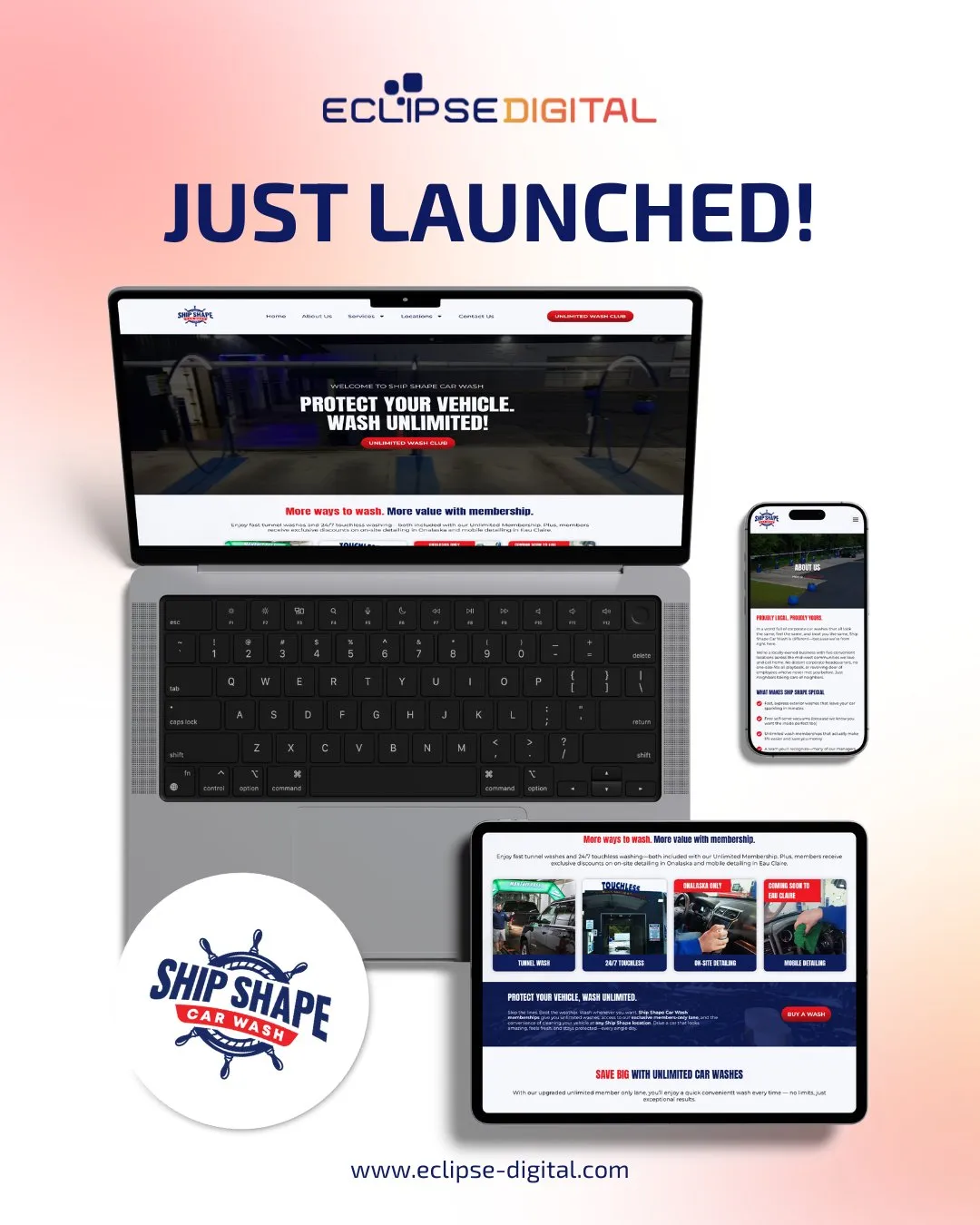
  • Stunning WordPress Redesign for Ship Shape Car Wash

    Stunning WordPress Redesign for Ship Shape Car Wash

    The Ship Shape Car Wash Website Redesign: How Eclipse Digital Boosted Engagement and Business

    We recently relaunched Ship Shape Car Wash’s website, a project that improves how customers discover services and join memberships online. This case study walks through Eclipse Digital’s strategy, the custom WordPress work we delivered, the problems we solved, and the measurable impact after launch. You’ll read about the old site’s limitations, the features we added—like the Unlimited Wash Club integration—and the results those changes drove for the business.

    As more car wash services move online, a polished website becomes essential for stronger customer engagement and smoother operations.

    What is Ship Shape Car Wash and Why Redesign Its Website?

    Ship Shape Car Wash delivers high-quality car care with a focus on consistent results and friendly service. The website redesign was driven by the need to modernize the online experience, reduce friction for customers, and better support business goals like membership growth and local discovery.

    Who is Ship Shape Car Wash and what services do they offer?

    Ship Shape provides a full suite of car care services: quick exterior washes, deep interior detailing, and specialty treatments such as waxing and ceramic coatings. The brand emphasizes premium products and attentive service so vehicles leave looking their best every time.

    What challenges did the old Ship Shape Car Wash website face?

    The previous site struggled with a cluttered layout, slow load times, and poor mobile performance. Those issues drove up bounce rates and made it harder for visitors to find membership and location information—clear signs it needed a focused redesign to improve usability and conversions.

    How Did Eclipse Digital Approach the Ship Shape Car Wash Website Redesign?

    Eclipse Digital led the redesign with a user-first approach to UX and UI. Our aim was to build a site that looks modern, loads fast, and guides customers toward the actions that matter—signing up for memberships, finding locations, and learning about services.

    What strategic planning and UX/UI design principles guided the redesign?

    Ship Shape Car Wash Tunnel

    We started with research into user behavior, then mapped customer journeys and prioritized the most common tasks. Wireframes and prototypes let us test flows quickly and revise based on feedback—so the final design reflects real user needs rather than assumptions.

    A user-centered design process reduces friction and helps businesses scale digital interactions more reliably, according to recent studies.

    How was custom WordPress development implemented for Ship Shape Car Wash?

    We used a custom WordPress build to combine visual polish with practical content management. WordPress allowed us to integrate tailored plugins and custom code for membership handling, performance optimizations, and a manageable admin experience—so the team can update content without developer support.

    This aligns with established best practices for custom WordPress projects that balance flexibility with reliability.

    What Key Features and Enhancements Were Delivered in the New Website?

    The redesigned site delivers clearer navigation, faster performance, mobile-first layouts, and membership tools—each chosen to make it easier for customers to find, choose, and return to Ship Shape services.

    How does the Unlimited Wash Club integration improve customer experience?

    Unlimited Car Was and Vaccums

    The Unlimited Wash Club lets customers sign up online for unlimited washes at a fixed monthly price. We simplified the signup flow so members can join in minutes—boosting perceived value and making recurring revenue easier for the business to manage.

    What mobile responsiveness and location finder improvements were made?

    The new site is fully responsive and designed for quick task completion on phones and tablets. We also added a location finder that helps visitors locate the nearest Ship Shape site and get directions—reducing friction for on-the-go customers.

    What Are the Measurable Results and Business Impact of the Website Launch?

    Early analytics show the redesign delivered meaningful gains across engagement, memberships, and local discovery—validating the strategic choices made during the project.

    How has user engagement and membership sign-ups improved post-launch?

    After launch we saw longer session durations, lower bounce rates, and a noticeable rise in Unlimited Wash Club signups. Those indicators point to a smoother customer journey and stronger conversion paths across the site.

    What SEO performance gains and local search visibility were achieved?

    The site’s technical improvements and content restructuring led to better keyword rankings and increased organic traffic. Local search visibility improved as well, making it easier for nearby customers to discover Ship Shape and convert into visitors.

    How Does the Ship Shape Car Wash Redesign Exemplify Effective Car Wash WordPress Development?

    This project demonstrates how a focused WordPress build—paired with user-centered design—can meet the practical needs of a service business while supporting growth and repeat customers.

    Why is WordPress a preferred platform for car wash website redesigns?

    WordPress combines a friendly admin experience with deep customization options. For car wash businesses that need memberships, location tools, and frequent updates, it offers a straightforward way to manage content and extend functionality over time.

    What custom development solutions did Eclipse Digital provide?

    Eclipse Digital delivered custom plugins and integrations for membership management, booking flows, and performance tuning. These elements reduce manual work, improve the customer experience, and differentiate Ship Shape from competitors.

    What Are the Next Steps and How Can Other Businesses Benefit from Similar Web Design Services?

    Ship Shape will continue to refine the site with monitoring, A/B testing, and feature rollouts. Other businesses can replicate this approach—start with user research, choose a flexible platform, and focus on the key actions your customers take.

    What ongoing support and future enhancements are planned for Ship Shape Car Wash?

    Ongoing work will include performance maintenance, regular content updates, and new features driven by customer feedback—like expanded booking options and service-specific promotions.

    How can businesses engage Eclipse Digital for custom WordPress redesign projects?

    If you’re considering a custom WordPress redesign, reach out to Eclipse Digital through their website. We tailor each project to the client’s goals and operational needs to ensure a measurable digital improvement.

    FeatureDescriptionBenefit
    Unlimited Wash ClubMonthly membership for unlimited washesBoosts loyalty and predictable revenue
    Mobile ResponsivenessFully responsive site designBetter experience on phones and tablets
    Location FinderTool to locate nearby sitesMakes visits and conversions easier

    Together, these features show how a purposeful redesign can increase customer engagement and streamline operations for a service-driven business.

  • Unlocking SEO Success: The Power of Content Relevance and User Experience in 2026

    Unlocking SEO Success: The Power of Content Relevance and User Experience in 2026

    Unlocking SEO Success: The Power of Content Relevance and User Experience in 2026

    You’ve poured hours into your website, yet your traffic barely moves. The truth? SEO 2026 rewards more than keywords—it demands sharp content relevance and a smooth user experience. Master these two pillars, and your search engine optimization efforts will finally start to pay off. Let’s explore how focusing on what your audience truly needs can transform your digital marketing strategies this year. For more insights, check out this comprehensive guide.

    The Role of Content Relevance

    To stand out in the crowded digital space, your content must be more than just attention-grabbing; it needs to resonate deeply with your audience. Let’s examine why this is so crucial for SEO in 2026.

    Why Content is King in SEO 2026

    Content relevance has become the kingpin of SEO success. Why? Because search engines are smarter than ever, and they prioritize content that truly answers user queries. A staggering 70% of consumers say they prefer to engage with brands that offer personalized content. This is your opportunity to connect with your audience on a deeper level. By focusing on what matters most to them, you not only improve your rankings but also foster loyalty and trust.

    Crafting Relevant Content for Your Audience

    Creating relevant content is more than just knowing your keywords. It’s about understanding the unique needs and interests of your audience. Start by diving into your analytics to uncover what content performs best. Have you noticed a particular blog post drawing more attention? Use these insights to shape future content. Next, consider conducting surveys or polls to gather direct feedback from your audience. This information is gold, enabling you to tailor your content precisely to their preferences.

    Measuring Content Effectiveness

    Once your content is out there, measuring its effectiveness is key. How do you know if your efforts are paying off? Tools like Google Analytics offer valuable insights into how users interact with your content. Check metrics such as page views, bounce rates, and average session duration to gauge engagement levels. Additionally, monitor social shares and comments to understand the impact of your content. Remember, content effectiveness isn’t just about traffic; it’s about meaningful interactions and building relationships.

    Enhancing User Experience

    Great content needs a worthy stage. This is where user experience (UX) comes into play. It ensures your audience enjoys interacting with your site, leading to better SEO outcomes.

    The User Experience-SEO Connection

    User experience and SEO are more connected than you might think. Search engines now consider how easily users can navigate your site. If your pages load slowly or are difficult to navigate, users will leave, and search engines will notice. Did you know that a mere 2-second delay in page load time can increase bounce rates by up to 50%? This underscores the importance of optimizing every aspect of the user journey.

    Key UX Factors for SEO Success

    Several key factors contribute to a positive user experience. Mobile-friendliness is crucial, as more than 60% of web traffic now comes from mobile devices. Ensure your website adapts seamlessly to all screen sizes. Additionally, intuitive navigation and clear calls-to-action can guide visitors effortlessly through your site. Don’t underestimate the power of aesthetics; a visually appealing design can captivate users and encourage them to explore further.

    Tools to Improve User Experience

    Improving user experience doesn’t have to be a daunting task. Tools like Google PageSpeed Insights can help you assess and enhance your site’s performance. For website accessibility, consider using WAVE, which checks for compliance with accessibility standards. If you’re looking for design improvements, platforms like Canva offer easy-to-use templates to elevate your site’s visuals. By utilizing these tools, you can create a more engaging and satisfying user experience.

    Developing Your SEO Strategy

    With a solid foundation of relevant content and excellent user experience, it’s time to develop your overall SEO strategy for sustained success.

    Understanding Digital Marketing Strategies

    Digital marketing is a vast field, and understanding its intricacies is crucial for SEO success. It’s not just about optimizing for search engines; it’s about crafting strategies that integrate content, social media, and paid advertising. Start by defining clear goals for your business. Are you aiming to increase brand awareness or drive more sales? Your objectives will shape your digital marketing strategy and guide your SEO efforts.

    Building a Comprehensive SEO Plan

    A comprehensive SEO plan involves several steps. Begin with thorough keyword research to identify the terms your audience is searching for. Use these keywords naturally throughout your content. Next, focus on on-page SEO elements such as meta tags, headers, and alt text for images. Regularly updating your content is also crucial, as fresh information keeps both users and search engines engaged. Finally, consider link-building strategies to enhance your site’s authority.

    Consulting with Experts for SEO Success

    Navigating the complexities of SEO can be challenging, which is why consulting with experts can be invaluable. An experienced SEO professional can provide insights and recommendations tailored to your business needs. They can help identify areas for improvement and offer strategies to enhance your online presence. Don’t hesitate to reach out to a trusted digital marketing partner who can guide you on the path to SEO success.

    By focusing on content relevance and user experience, you set a strong foundation for effective SEO strategies in 2026. Remember, the key is to understand your audience’s needs, create meaningful content, and ensure a seamless user experience. Embrace these principles, and watch your online presence flourish.

  • Mastering Local SEO: Unlocking New Market Opportunities for Your Business

    Mastering Local SEO: Unlocking New Market Opportunities for Your Business

    Mastering Local SEO: Unlocking New Market Opportunities for Your Business

    You’re investing time and money to get noticed locally, but your business barely shows up in local search results. That means you’re missing out on valuable market segments right in your neighborhood. Mastering local SEO can change that—boosting your online visibility and connecting you with customers ready to buy. Let’s break down how targeted SEO strategies can open doors to new opportunities for your business. Read more here.

    Importance of Local SEO

    Local SEO is crucial for businesses aiming to thrive in their communities. It ensures that your company is visible to customers nearby, ready to engage with your services or products.

    Boosting Online Visibility

    Being easily found online is like having a bright sign over your shop. When you optimize for local searches, your business appears in front of customers seeking exactly what you offer. This means more foot traffic and more sales. For instance, a local bakery optimized their listings and saw a 30% increase in walk-ins within a month.

    Most people think just having a website is enough, but without local SEO, it’s like being invisible. Imagine a florist who isn’t showing up when someone searches “flowers near me”—that’s missed opportunities. By using directories and updating your Google listings, you ensure your business pops up where it matters most.

    Capturing New Market Segments

    With local SEO, you tap into untouched markets right in your area. These are customers who might not know about your business yet but are looking for your services. By using targeted keywords, you reach these potential clients directly.

    Consider a fitness studio that integrated local SEO practices. They started capturing the interest of local health enthusiasts who were previously unaware of their classes. The result? A 40% increase in memberships.

    Here’s the key insight: The longer you wait to optimize your local presence, the more potential customers you miss. Start today and see the difference.

    Effective SEO Strategies

    To truly harness the power of local SEO, you need the right strategies. These involve targeting the correct search terms and tailoring methods to fit your unique business needs.

    Targeting Local Search Results

    Start by identifying the phrases your potential customers use. These could be simple, like “coffee shop nearby.” By incorporating these into your content and descriptions, you align your business with local searches.

    Another example is a pet grooming service that added “best dog grooming in [city]” to their site. They noticed a significant uptick in inquiries.

    It’s not just about keywords, though. Ensuring your business details are consistent across platforms boosts trust and visibility. Check your address, phone number, and website—these small details can make a significant difference. Explore more about building an SEO strategy.

    Tailoring Approaches for Your Business

    Every business is unique, which means your SEO strategy should be too. For instance, a local bookstore might focus on events and community engagement, while a restaurant might highlight menu specials and unique dining experiences.

    Customizing your approach means understanding your audience and delivering what they need. If you’re unsure where to begin, consider what makes your business special. Use that to draw in customers looking for exactly what you offer.

    Most people think SEO is a one-size-fits-all solution, but tailoring your strategy ensures better results. Learn more about turning impressions into clicks.

    Partnering with Eclipse Digital

    Partnering with a knowledgeable team can make all the difference in your local SEO success. Eclipse Digital offers expertise and a personalized approach.

    Personalized Consultation Benefits

    When you work with Eclipse Digital, you get a tailored consultation that focuses on your specific needs. Our experts dive deep into your business goals, ensuring that the strategies we implement genuinely reflect your objectives.

    Many clients find relief knowing they’re supported by professionals who understand the nuances of digital marketing. You get more than just a service—you gain a partnership focused on your growth.

    Success Stories and Testimonials

    Our clients often share their stories of success and satisfaction. For example, a local craft store we worked with saw a 50% increase in online traffic and a significant boost in sales after optimizing their website content and local listings.

    These testimonials demonstrate the tangible benefits of our approach. With each success story, we’re reminded of the impact we can have on growing businesses, just like yours. Discover more about underutilized SEO opportunities.

    By choosing Eclipse Digital, you’re not just investing in a service—you’re joining a community focused on empowering your business. Start today to unlock new growth opportunities.

    🌟

    Remember, improving your local SEO is a journey, not a sprint. But with the right guidance and tools, you can reach new heights and capture market segments you never thought possible.

  • Mastering the Art of Agile Digital Marketing: Strategies for Lasting Growth

    Mastering the Art of Agile Digital Marketing: Strategies for Lasting Growth

    Mastering the Art of Agile Digital Marketing: Strategies for Lasting Growth

    You’ve built a great product, but your digital marketing feels stuck in slow motion. When market trends shift overnight, your strategy can’t afford to lag behind. Agile digital marketing lets you pivot quickly, combining custom web design, smart SEO strategies, and e-commerce optimization to keep your business moving forward and growing steadily. Let’s explore how adapting fast leads to lasting business growth. For more insights, check out this resource.

    Understanding Agile Digital Marketing

    Agility in digital marketing means you’re always ready for the unexpected. When you can pivot quickly, you don’t just survive changes; you thrive. Let’s look at why being nimble is so crucial.

    Why Agility Matters

    In a fast-paced world, standing still isn’t an option. Agile digital marketing ensures you’re always a step ahead. This approach allows you to respond to market shifts swiftly. Need proof? Imagine launching a new product. If consumer tastes change, an agile strategy lets you adjust your campaign in real time. That’s the power of being flexible.

    Most businesses fear change, but embracing it can unlock new opportunities. When you react quickly, you capture market share others miss. Agility isn’t just about speed; it’s about being smart and strategic. It’s like playing chess, always thinking two moves ahead.

    Benefits of Adaptive Strategies

    Adaptive strategies bring several advantages. First, they enhance your ability to experiment. You can test different marketing tactics without a huge commitment. This approach also leads to improved customer engagement. By adapting your message, you meet your audience’s current needs.

    Moreover, being adaptive can save money. You allocate resources more efficiently, focusing on what’s working right now. Finally, you’ll see higher returns. Quick adjustments lead to more targeted campaigns, boosting your bottom line. Discover more on this topic here.

    Core Strategies for Lasting Growth

    Once you understand agility, it’s time to apply it. Here’s how to boost your business with agile strategies, focusing on web design, SEO, and e-commerce.

    Custom Web Design for Impact

    Your website is often the first impression customers have of your brand. A custom web design ensures it reflects your unique identity. Instead of a cookie-cutter template, you get a site tailored to your needs. This personalized approach helps you stand out and connect with your audience.

    Every business is different, and so should be its website. A custom design considers your brand’s voice and your customers’ preferences. This personalization increases engagement and keeps visitors coming back.

    Furthermore, a well-designed site boosts credibility. Customers trust brands that invest in their online presence. Remember, a polished website can make or break a sale. For more insights on crafting effective growth strategies in the digital world, refer to this article.

    SEO Strategies for Visibility

    Visibility is key to attracting new customers. SEO strategies make sure your business shows up when it matters. Using the right keywords and optimizing your content can elevate your search rankings. But it’s more than just keywords; it’s about understanding your audience.

    Think of SEO as a bridge connecting you to potential customers. By analyzing search patterns, you learn what your audience wants. This insight helps you tailor your content, making it more relevant and engaging.

    Additionally, SEO is a long-term investment. While paid ads stop working the moment you stop paying, SEO keeps delivering results. As your rankings improve, so does your site’s credibility. That translates directly to more traffic and conversions.

    E-commerce Optimization Techniques

    For e-commerce, optimization is crucial. It means offering a seamless shopping experience. Start with site speed. A slow site frustrates visitors, leading to abandoned carts. Aim for a load time of less than three seconds to keep customers happy.

    Next, simplify the checkout process. Fewer steps mean fewer chances for customers to leave. Ensure your site is mobile-friendly, as more users shop on their phones.

    Finally, use data to refine your strategy. Analyze sales trends and customer feedback. These insights help you adjust your approach, optimizing for better results. Explore more about sustainable growth strategies in the digital age here.

    Partnering with Eclipse Digital

    Partnering with the right digital agency makes all the difference. Eclipse Digital offers customized solutions that align with your business goals.

    Tailored Solutions for Your Business

    Eclipse Digital understands that one size doesn’t fit all. We offer personalized solutions that address your specific needs. Whether you need a new website or a comprehensive marketing plan, we’ve got you covered.

    Our team works closely with you to understand your objectives. We then craft a strategy that fits your budget and timeline. This collaborative approach ensures you get the best return on your investment.

    Choosing Eclipse Digital means choosing a partner committed to your success. We don’t just deliver solutions; we build relationships based on trust and transparency. Learn more about navigating the digital landscape with effective strategies here.

    Success Stories: Real Growth Examples

    Seeing is believing. Many businesses have transformed with Eclipse Digital’s help. One local retailer saw a 30% increase in online sales after a website redesign. By optimizing their SEO, a service company boosted its web traffic by 50%.

    These successes aren’t just numbers; they’re stories of growth and achievement. They show what’s possible when you have the right partner by your side. So, are you ready to write your own success story? Let’s work together to achieve your digital marketing goals.

  • Future-Proof Your Digital Marketing: Embrace Agile, Personalized Strategies

    Future-Proof Your Digital Marketing: Embrace Agile, Personalized Strategies

    Future-Proof Your Digital Marketing: Embrace Agile, Personalized Strategies

    Most digital marketing plans fail because they’re set in stone—unable to shift when trends change or audiences evolve. If your approach isn’t agile, personalized digital strategies will leave you behind while competitors adapt and grow. This post shows how future-proof digital marketing keeps your efforts flexible and tailored to your customers, so you stay relevant and ahead.

    Why Agile Marketing Matters

    In today’s fast-paced digital world, staying flexible is crucial. An approach that adjusts quickly keeps you ahead of the curve and ensures your efforts hit the mark.

    Adapt to Market Changes

    The market never stands still. Trends shift, consumer behaviors morph, and what worked yesterday may not work tomorrow. Agile marketing lets you pivot with these changes, keeping your strategies fresh and effective. Imagine launching a campaign and seeing real-time results, allowing you to tweak and refine on the fly. This adaptability is what keeps your brand relevant. Ninety percent of successful campaigns utilize flexible strategies, proving how powerful this approach can be.

    Your digital marketing should be as dynamic as the environment it operates in. By responding swiftly to new trends and data, your brand stays in tune with what consumers want. This keeps your messaging on point and ensures you’re always speaking your audience’s language.

    Enhance Team Collaboration

    When teams collaborate effectively, magic happens. An agile approach fosters communication and cooperation, ensuring everyone is on the same page. This synergy boosts creativity and problem-solving, leading to more innovative campaigns. A team that works well together can adapt to shifts more smoothly, addressing challenges head-on without missing a beat.

    Consider weekly check-ins where ideas flow freely and feedback is constructive. This not only enhances teamwork but also leads to more cohesive strategies. When everyone contributes, your marketing efforts reflect a diverse range of insights and ideas, making them more robust and effective.

    The Power of Personalized Strategies

    Personalization is more than just a buzzword—it’s a vital component of successful marketing. By tailoring strategies to individual needs, you create connections that resonate and engage.

    Tailor Your SEO Services

    SEO isn’t one-size-fits-all. Each business has unique needs and goals, and your SEO strategy should reflect that. Personalized SEO services identify specific targets and craft approaches that align with your business objectives. This focus not only improves rankings but also drives traffic that converts.

    Consider a local bakery that boosts its visibility by targeting its neighborhood’s search trends. By focusing on what locals are searching for, they attract the right audience, leading to increased foot traffic and sales. Seventy-five percent of small businesses see improved results with customized SEO plans, highlighting the importance of this approach.

    Personalization means understanding your audience’s language and speaking it fluently. This connection builds trust and encourages engagement, making your brand the go-to choice in a crowded marketplace.

    Custom Web Design for Impact

    Your website is often the first impression customers have. A custom design ensures it reflects your brand’s essence and functionality. Off-the-shelf templates can’t capture your unique identity, but a tailored design can.

    Imagine an online store with a seamless, intuitive layout that guides visitors effortlessly from browsing to purchase. This user-friendly experience not only enhances satisfaction but also boosts conversion rates. When your site feels like it was made just for them, customers are more likely to return.

    Custom web design isn’t just about aesthetics; it’s about crafting a journey for your visitors. It’s about making sure every interaction feels personal and every click brings them closer to becoming loyal customers.

    Achieving Success with Future-Proof Digital Marketing

    Success in digital marketing is about more than short-term gains. It’s about building strategies that stand the test of time and adapt to future trends.

    Real-World Client Testimonials

    Hearing directly from satisfied clients provides powerful evidence of what’s possible. Their stories showcase how agile, personalized strategies lead to real results. One client, for instance, saw a 30% increase in online engagement after implementing a custom SEO plan tailored to their industry.

    Another client transformed their online presence with a bespoke website redesign, resulting in a 40% boost in conversions. These testimonials not only highlight success but also inspire confidence in those considering similar strategies.

    Stories like these demonstrate the tangible benefits of future-proof marketing. They show that with the right approach, incredible outcomes are achievable, providing a roadmap for others to follow.

    Sustainable Growth with Digital Marketing Solutions

    Long-term success requires more than quick wins. Sustainable growth is the goal, and digital marketing solutions provide the tools to achieve it. By focusing on strategies that evolve with the market, your business stays ahead of the curve and continues to thrive.

    Investing in digital marketing solutions means committing to growth that lasts. It’s about building a foundation that supports expansion and adapts to changes. As the digital landscape evolves, your strategies should, too, ensuring your brand remains a leader, not a follower.

    The journey to digital success is ongoing. By embracing agile, personalized strategies, you’re not just keeping up—you’re setting the pace.

  • Boost Your Local Presence: Simple SEO Tactics for Small Businesses

    Boost Your Local Presence: Simple SEO Tactics for Small Businesses

    Boost Your Local Presence: Simple SEO Tactics for Small Businesses

    Most small businesses miss out on nearby customers because their local SEO isn’t set up right. You might have a great product or service, but if your business isn’t showing up in local search, those potential customers never find you. This post breaks down simple SEO tactics you can start using today to increase visibility and attract more people right in your community. Learn more about local SEO strategies here.

    Mastering Local SEO Basics

    Let’s dive into the essentials that can significantly boost your presence online. These foundational steps will get your business noticed by more people in your area.

    Claim Your Google Business Profile

    Start by claiming your Google Business Profile. This is crucial because it directly affects how Google shows your business in local searches. Make sure your profile displays accurate information like your address, phone number, and business hours. This might seem simple, but it’s a powerful tool that helps customers find you with ease.

    Add photos and respond to reviews to make your profile stand out. Photos show your business’s personality, while responses to reviews demonstrate your commitment to customer satisfaction. Engaging with reviews, both good and bad, shows potential customers that you care. Remember, 88% of consumers trust online reviews as much as personal recommendations.

    Optimize for Local Keywords

    Using local keywords helps your business appear in search results when someone searches for services in their area. Think about what your customers might type into Google when looking for your services. Add these keywords naturally to your website content, meta descriptions, and tags.

    For example, if you own a bakery in Chicago, use phrases like “Chicago bakery” or “best bakery in Chicago.” This makes it easier for local customers to find you. Keep your content fresh too; Google loves updated websites, and so do your customers.

    Boost Your Visibility with Content

    Now that the basics are in place, let’s explore how you can use content to attract more nearby customers.

    Create Localized Content

    Creating content that resonates with your local audience is key. Write blog posts about local events or local interest stories. This makes your site relevant to the community and shows you’re engaged with local happenings.

    For instance, if there’s an annual festival in town, write about it and how your business is participating. This not only draws in local traffic but also positions your business as a community player. People love supporting businesses that are active in the community.

    Encourage Customer Reviews

    Customer reviews are incredibly influential. They can sway potential customers’ decisions in your favor. Encourage your satisfied customers to leave reviews on Google, Yelp, or other relevant platforms.

    Consider offering a small incentive, like a discount, for leaving a review. But make sure it’s authentic; fake reviews can damage your reputation. According to a BDC article, businesses with more reviews tend to rank higher in search results.

    Engage with Your Community

    Engaging with your community can set your business apart and create memorable connections. Here’s how to do it effectively.

    Partner with Local Influencers

    Collaborating with local influencers can be a game-changer. These are people in your community who have a significant following and can help promote your business to their audience.

    Find influencers who align with your brand values and reach out to them for partnerships. Whether it’s a product review or a social media shoutout, their endorsement can bring newfound attention to your business. Most people think influencers only benefit big brands, but they can be a vital asset for small businesses too.

    Host Community Events

    Hosting events is a fantastic way to connect with your community. It can be anything from workshops to charity events. These gatherings foster a sense of community and showcase your brand’s personality.

    Events provide a great opportunity to meet potential customers face-to-face. It also allows you to collect valuable feedback and understand your audience better. The longer you wait to engage locally, the more you miss out on building lasting relationships.

    🌟

    By implementing these simple local SEO tactics, your business can improve its online visibility and attract more nearby customers. Remember, boosting your local presence requires ongoing effort, but with the right strategies, you can see amazing results.

  • Boost Your Online Presence: How SEO and Custom Web Design Work Together

    Boost Your Online Presence: How SEO and Custom Web Design Work Together

    Boost Your Online Presence: How SEO and Custom Web Design Work Together

    Your website might be attracting visitors, but are they finding you on Google? Many businesses overlook how closely SEO and custom web design must work together to boost search visibility. When these two elements sync, your online presence doesn’t just improve—it becomes a powerful tool that draws the right audience and keeps them engaged. Let’s break down how combining SEO with tailored web design can put your business ahead in digital marketing. Check out this link for more insights: [https://www.operationtechnology.com/blog/seo-web-design-the-relationship-you-should-know-about/].

    Power of SEO and Web Design

    In today’s digital world, having a website isn’t enough. Your site needs to shine on search engines. Let’s explore how merging SEO with custom web design can elevate your visibility.

    Enhancing Search Visibility

    When SEO and web design work together, your site gets noticed. A well-designed site with proper SEO means higher rankings on search engines. Imagine your site appearing on the first page of Google. That’s the power of this dynamic duo.

    • Structured Data: It helps search engines understand the content better. This clarity can boost your rankings.

    • Mobile Responsiveness: Over 50% of users browse on mobile. A responsive design ensures they stay longer, reducing bounce rates.

    • Fast Loading Speed: A site that loads in under 3 seconds keeps users engaged. It also pleases search engines, improving your rank.

    Learn more about this relationship here.

    Creating a Strong Online Presence

    A cohesive strategy ensures your online presence is not just seen but remembered. When your website looks good and functions well, visitors stick around. This isn’t just about aesthetics; it’s about creating meaningful interactions.

    • Consistent Branding: Your website should reflect your brand’s identity. Consistency builds trust and recognition.

    • Engaging Content: Content that speaks to your audience’s needs holds their attention. Use relevant keywords naturally to guide them.

    • Easy Navigation: A user-friendly structure means visitors find what they need quickly, leading to higher satisfaction.

    Discover more on why this synergy is essential here.

    Building a User-Centric Website

    Prioritizing the user’s experience on your site is key. It’s not just about getting visitors; it’s about keeping them engaged.

    Importance of User Experience

    User experience (UX) is about more than design. It’s how users feel when they interact with your site. A positive experience keeps them coming back.

    • Intuitive Layout: Visitors should navigate your site effortlessly. Think of your site as a map; the clearer it is, the easier it is to follow.

    • Accessibility: Your site should be accessible to everyone. This inclusivity broadens your audience reach.

    Learn how to integrate SEO into your design here.

    Strategies for Website Optimization

    Optimizing your website is a continuous process. Here’s how you can ensure your site is always performing at its best:

    1. Update Content Regularly: Fresh content keeps your site relevant and encourages repeat visits.

    2. Use Analytics: Regularly check analytics to understand user behavior and adjust your strategies.

    3. A/B Testing: Test different elements to find what works best. This approach helps improve conversions and engagement.

    For more insights on the role of SEO in web design, visit this site.

    Real-World Success Stories

    Seeing theory in action brings concepts to life. Let’s look at how real businesses have thrived by integrating SEO and custom web design.

    Client Case Study: Boosted Visibility

    One of our clients, a local bakery, saw a 40% increase in traffic after revamping their website with SEO-focused design. Their story shows the impact of combining these elements.

    • Targeted Keywords: We focused on local SEO keywords to attract nearby customers.

    • Visual Appeal: A fresh, clean design made their site inviting, aligning with their brand image.

    Testimonials from Satisfied Clients

    Our clients can’t stop raving about the transformation. Here’s what they say:

    • “Our site traffic doubled in just three months!”

    • “We’ve seen a significant boost in online orders since the redesign.”

    🌐✨

    By leveraging SEO and custom web design, you can transform your website from a simple online presence to a powerful marketing tool. Take the step today and see the difference it makes.